Any clients that are either signed up for Vin65 Plus or the credit card updater will need V2 emails set up for the new features they will receive.
Enabling V2 Emails
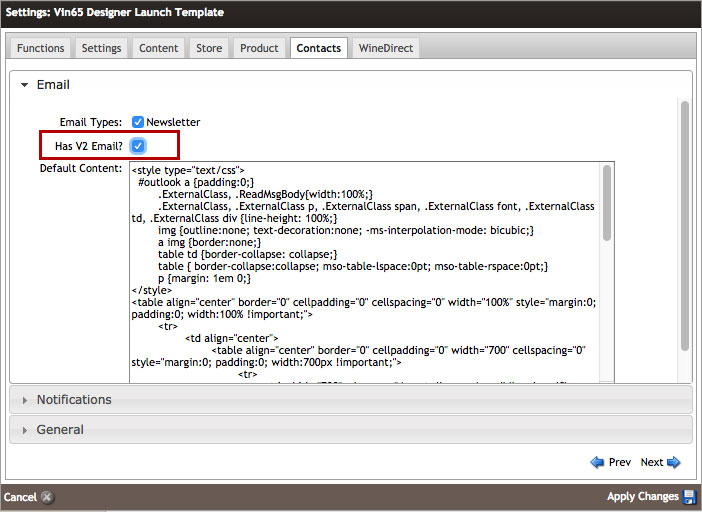
Navigate to Settings > Website Settings > Contacts > Email and check Has V2 Email?
Set Up Email Header and Footer
Go to Contacts > Email Documents > Email Properties > Manage Email Headers/Footers section and select Default. Upload a header image and update the footer to be winery specific.
Remember to update the header and footer content before generating the email documents.
Generate V2 Emails
Navigate to Settings > Website Settings > Functions > Setup V2 Emails. In the popup window, check all of the boxes and click Save.
